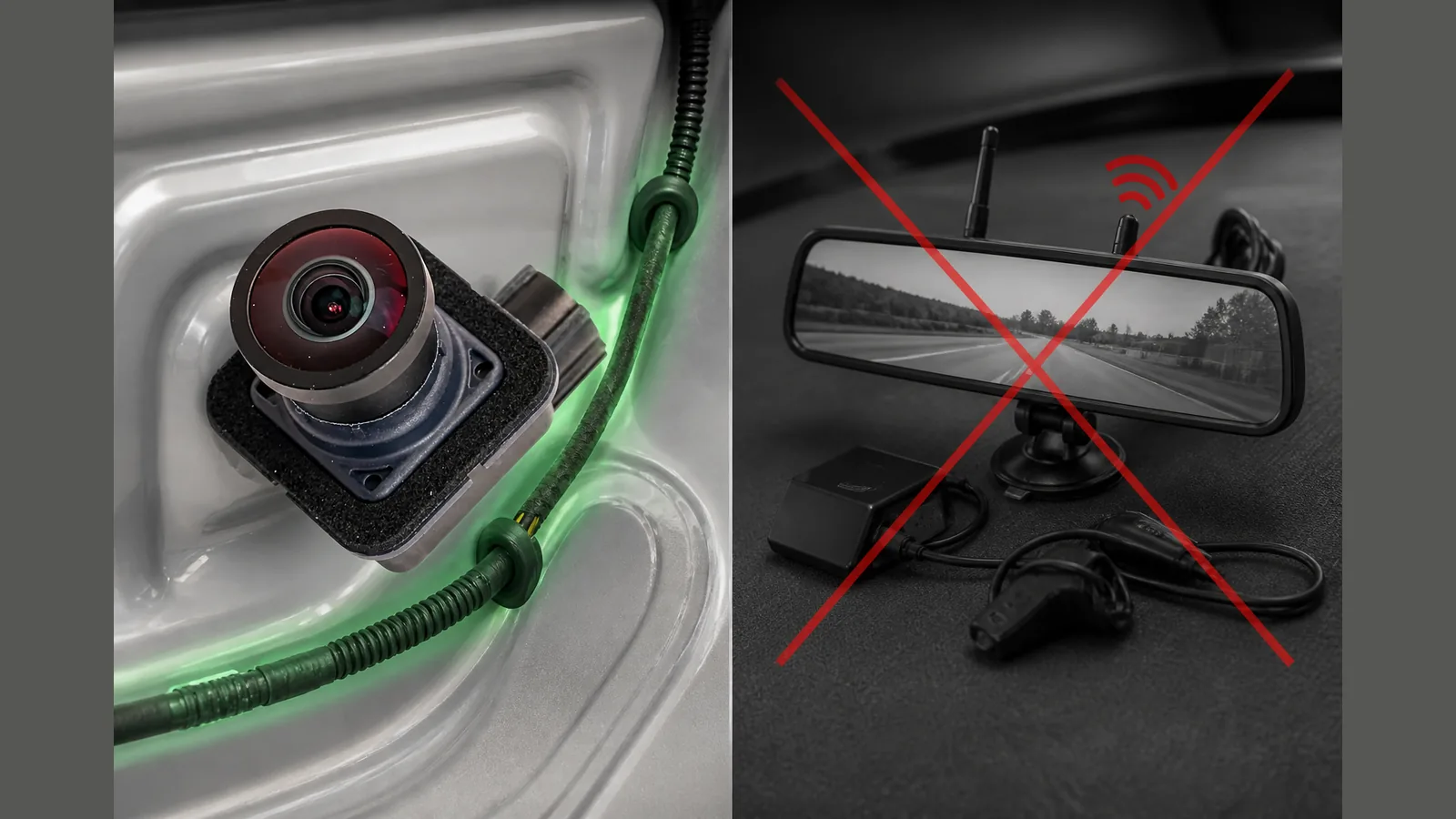
wired oe pacifica camera vs wifi kit uk: why OE wiring suits Uconnect
For Pacifica owners who rely on Uconnect, a wired oe pacifica camera vs wifi kit uk choice usually favours a factory-path, plug-in rear camera over a separate Wi‑Fi or mirror kit: the OE unit ties into the hatch and Uconnect display path, while wireless kits are a different product class aimed at their own screen or app, not the Pacifica’s built-in reverse view.
Direct answer for Pacifica Uconnect owners
If your goal is to restore or replace the reverse image that already appears in Uconnect when you select reverse, stay with a wired OE-style camera on the factory loom. Factory Pacifica cameras plug into the hatch/Uconnect path, so a like-for-like wired swap keeps the vehicle’s intended display behaviour rather than adding a parallel wireless feed.
Before you buy, match your part family and connector to the vehicle year. A UK listing for the Chrysler Pacifica rear backup camera (68227397AH / AE / AG) cites OE AH/AE/AG numbering and plug-and-play framing, and markets a wide-angle view — you should still verify connector and year fit rather than assume every listing matches every Pacifica.
Factory camera path vs add-on wireless kits
A wired OE camera is meant to sit in the hatch camera circuit and hand video to Uconnect the same way the original unit did. That is a vehicle-integrated path: reverse gear, factory screen, existing menus and parking guidelines (where fitted) remain the context for the image.
Add-on Wi‑Fi, Bluetooth or mirror kits typically send video to a phone, tablet or aftermarket mirror display. They do not automatically become the Pacifica’s Uconnect reverse camera. Treating them as drop-in substitutes for the factory display path confuses two installation models: loom-and-head-unit integration versus a standalone wireless link to another device.
Latency and display integration trade-offs
Wired OE replacement keeps the signal on the vehicle’s own camera-to-Uconnect route. You avoid introducing a separate wireless hop, pairing step or second screen into the reverse manoeuvre.
Wireless kits trade that integration for flexibility on their own display. Any delay, pairing drop-out or app dependency sits outside the factory reverse workflow. This article does not claim measured latency figures or app compatibility; the practical point is architectural: Uconnect owners comparing wired OE with a Wi‑Fi kit are comparing factory display integration with an add-on display path.
Whatever camera you use, reverse aids do not replace mirrors and observation. The Highway Code requires proper use of mirrors, blind-spot checks and care for pedestrians, especially children; cameras support that work rather than replace it.
When a wireless kit is a different product class
Choose a wireless or mirror kit only when you deliberately want a separate viewing device — for example a temporary aid that is not tied to Uconnect. That is a different product class from a Pacifica OE rear camera.
Do not expect a Bluetooth or Wi‑Fi reverse camera marketed for phones or mirrors to drive the Pacifica factory display unless the product is explicitly designed and verified for that vehicle path. “Bluetooth reverse cam not for Pacifica display” is a useful shorthand: without a documented Uconnect/hatch integration, it remains an independent system.
Avoiding duplicate wireless buyer-guide angles
Generic wireless and mirror-camera buyer guides already cover phone apps, mirror screens and kit shopping lists. This comparison stays Pacifica OE-scoped: factory hatch/Uconnect path versus add-on wireless class, not another ranking of mirror kits.
Secondary phrases such as “factory integration beats app camera Pacifica” and “choose wired OE over wireless Pacifica UK” point to the same decision rule — restore the factory path when you need Uconnect reverse view; treat Wi‑Fi kits as separate products when you want a separate display.
For DIY OE swaps, owner discussions emphasise careful hatch trim removal, treating the connector as brittle, and testing the image before full reassembly — useful process notes, not a substitute for matching the correct OE part to your year and loom.
Next step
If you are replacing a Pacifica rear camera for Uconnect rather than adding a Wi‑Fi mirror kit, review the OE AH/AE/AG-style wired option on the current product details page and confirm connector and model-year fit before ordering.
FAQ
Does a Wi‑Fi mirror kit replace the Pacifica Uconnect reverse camera?
No. A Wi‑Fi or mirror kit is usually its own display path. Restoring the image in Uconnect calls for a wired OE-style camera on the hatch/Uconnect route.
Why prefer wired OE over a wireless kit for Uconnect?
Factory integration: the wired camera plugs into the existing path so reverse view stays on the vehicle screen. Wireless kits serve phones or aftermarket mirrors unless a specific product proves otherwise — use confirmed details or assume app compatibility.
What should I check on a UK OE-style listing?
Part family (for example AH/AE/AG references), connector shape, and year range. Marketing claims such as plug-and-play or wide-angle wording on a listing still need a physical and year match on your vehicle.
Are reverse cameras enough on their own?
No. Follow the Highway Code: use mirrors, check blind spots and watch for pedestrians. The camera is an aid, not exclusive reliance.